
It brings back what you forgot you wrote
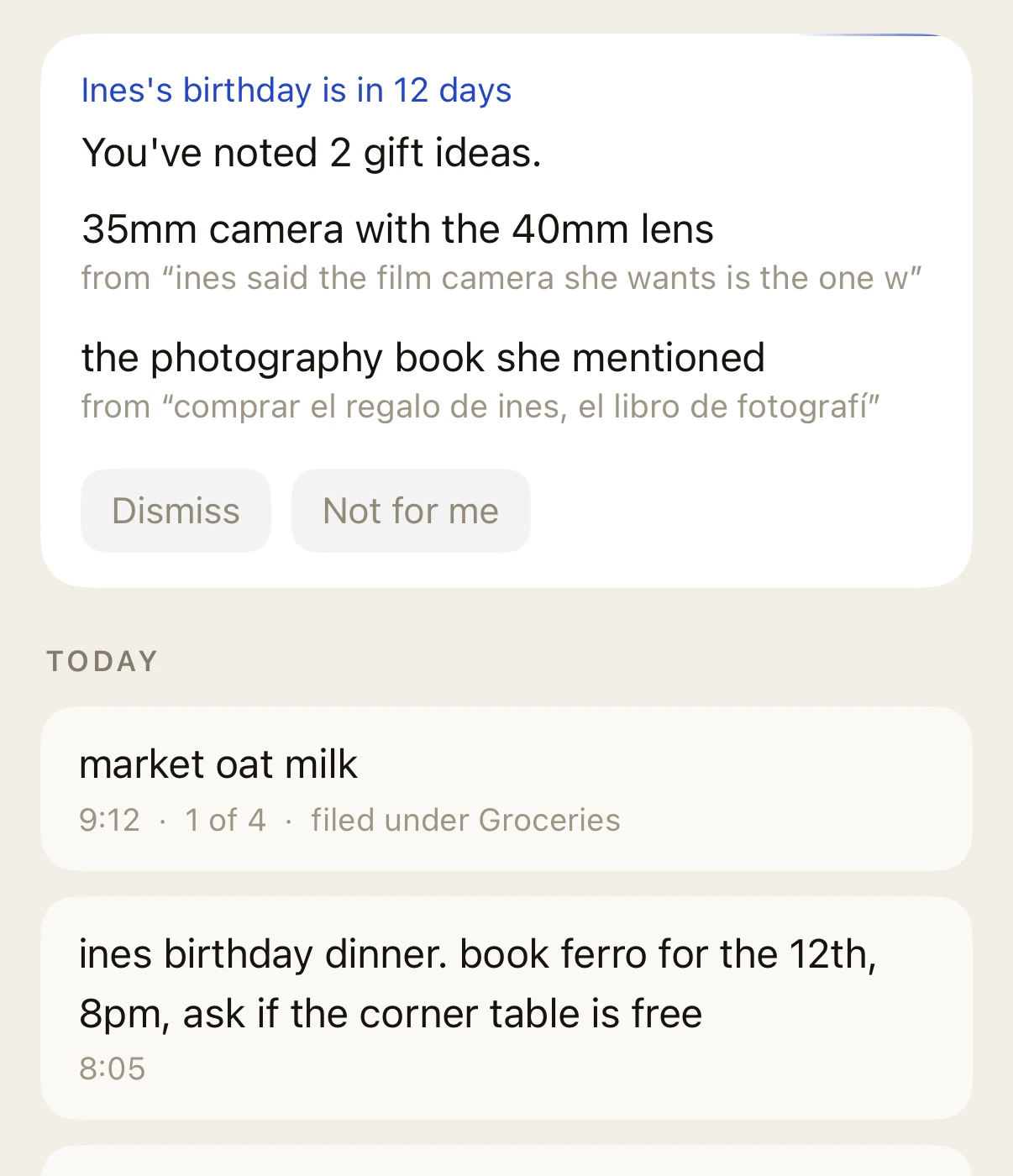
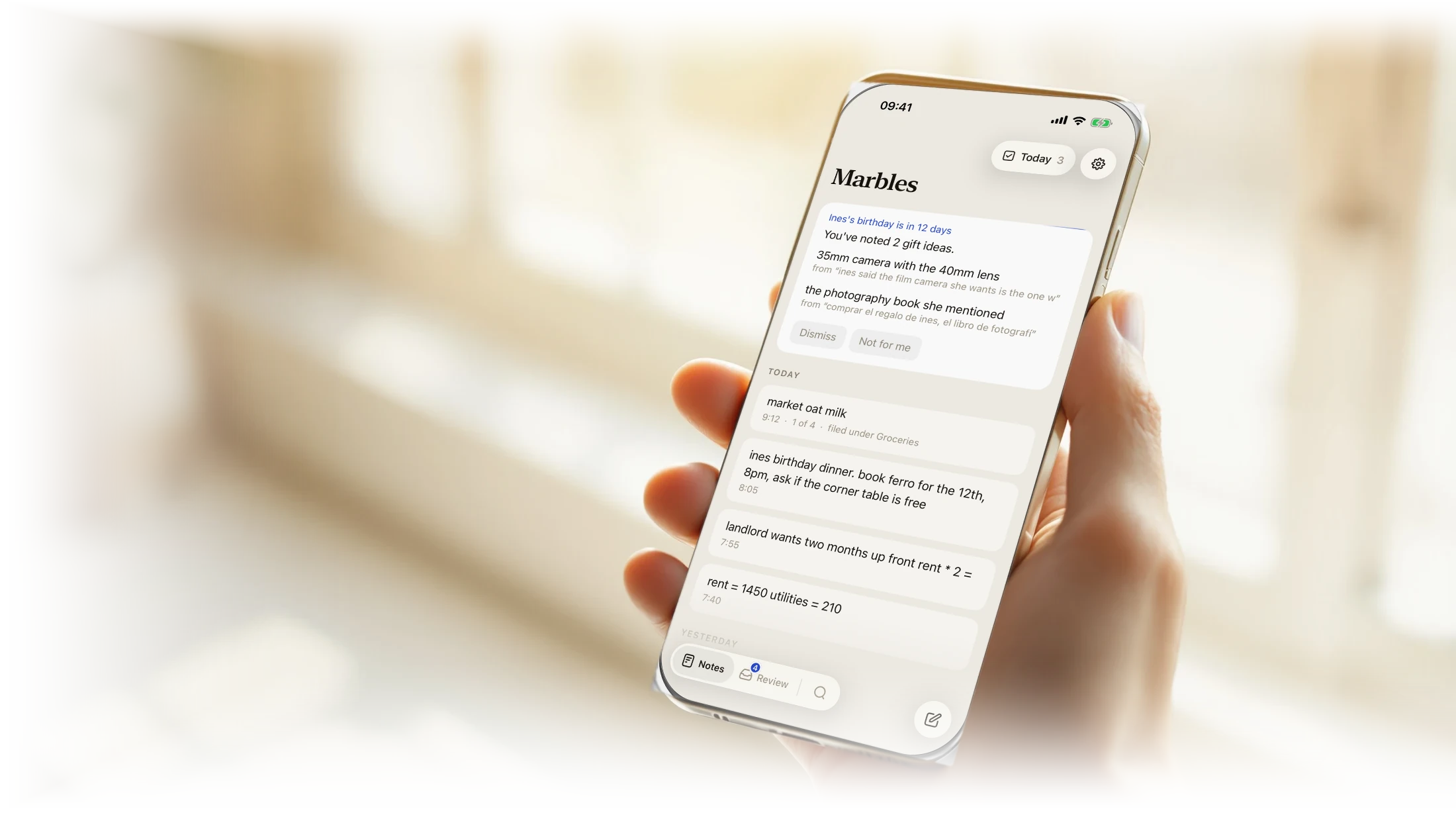
You noted it in passing, months ago. Two weeks before her birthday it comes back, with the line you actually typed underneath it. You never filed it, tagged it, or set a reminder.
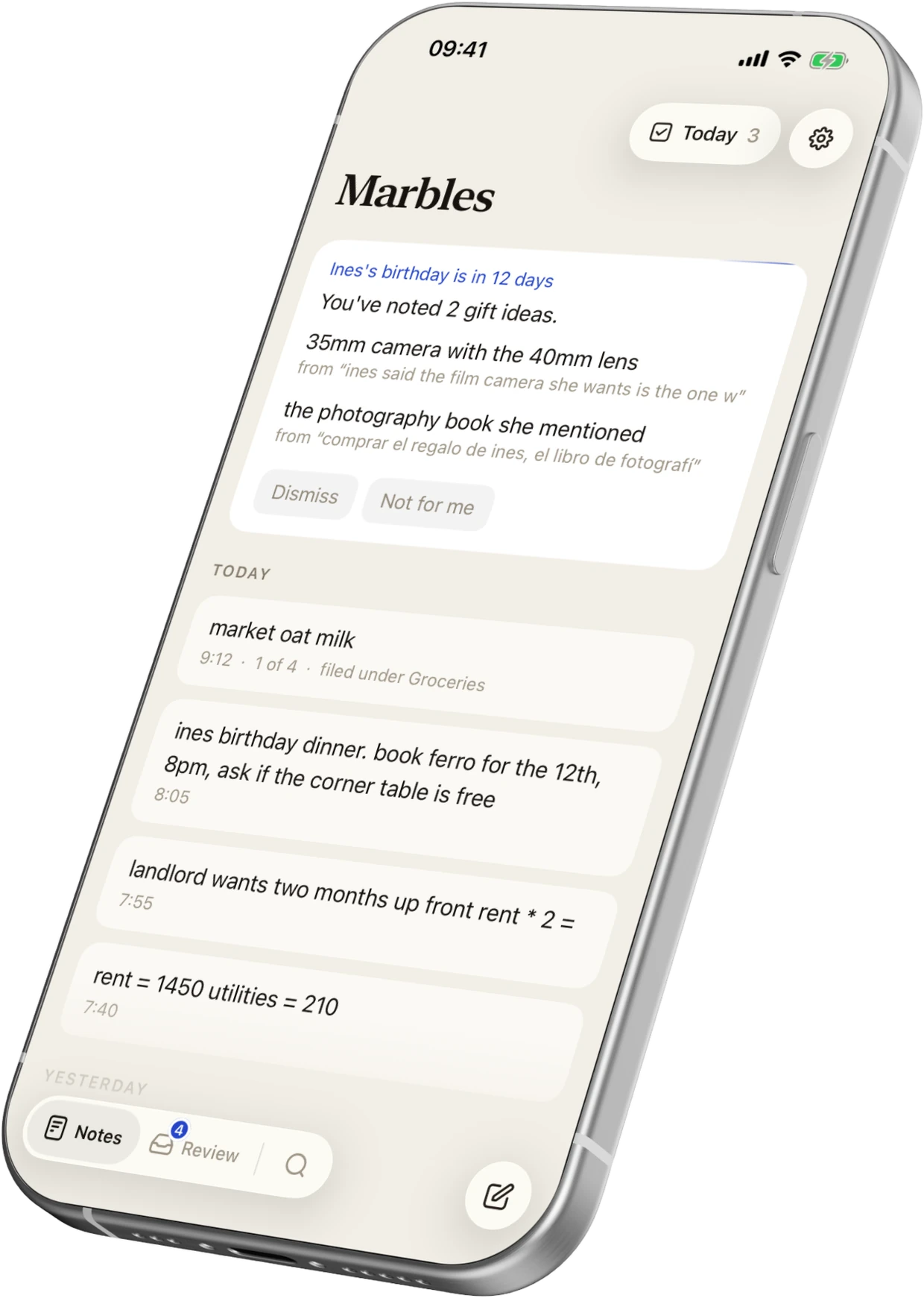
Marbles turns messy notes into projects, people and reminders. No folders, no tags, no tidying. Everything files itself, seconds after you stop typing.
They are all called “New Note.” Half of them are fragments that made perfect sense on the day you typed them and mean nothing now. The good idea from March is in there somewhere, underneath a shopping list and a wifi password.
So Marbles reads them. A few seconds after you save a note, it works out who is in it and what it is about. The quietest label is the one it is least sure of, and that is the only way it tells you. There is no confidence score anywhere in the app.
An animation of the app. A note reading “coffee with Dana, shes leaving madrid in october, wants one last trip to the coast before the move, said the flat hunt in berlin is brutal” is read by Marbles, which then files it under Dana, Madrid, Leaving in October, Berlin and, less certainly, Coast trip.
Folders and tags would fix this, if you were ever going to keep them up. Almost nobody does. So Marbles reads your notes instead.
The keyboard is up in under half a second. The note saves before you have finished thinking. No spinner, no sync wait. Works the same on a plane.
It happens a few seconds later, in the background. Marbles works out what the note is about, who is in it, and which of your other notes belong with it.
Browse by person, by project, or by time. Or just ask a question and get an answer out of your own notes.

You noted it in passing, months ago. Two weeks before her birthday it comes back, with the line you actually typed underneath it. You never filed it, tagged it, or set a reminder.
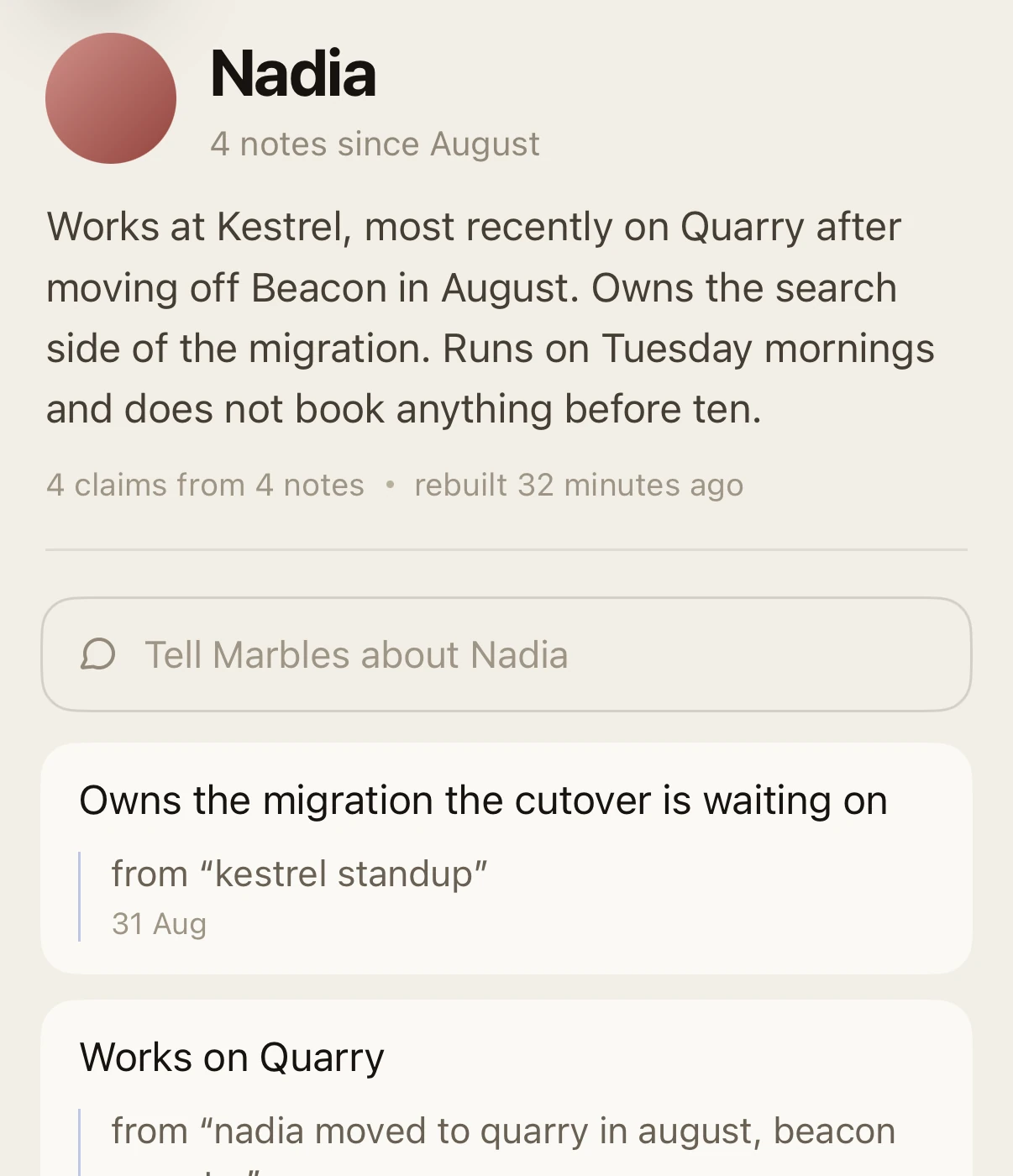
Everything you have written about someone, on one page. Written out as prose you can actually read, not a list of links, and every line points back to the note it came from.
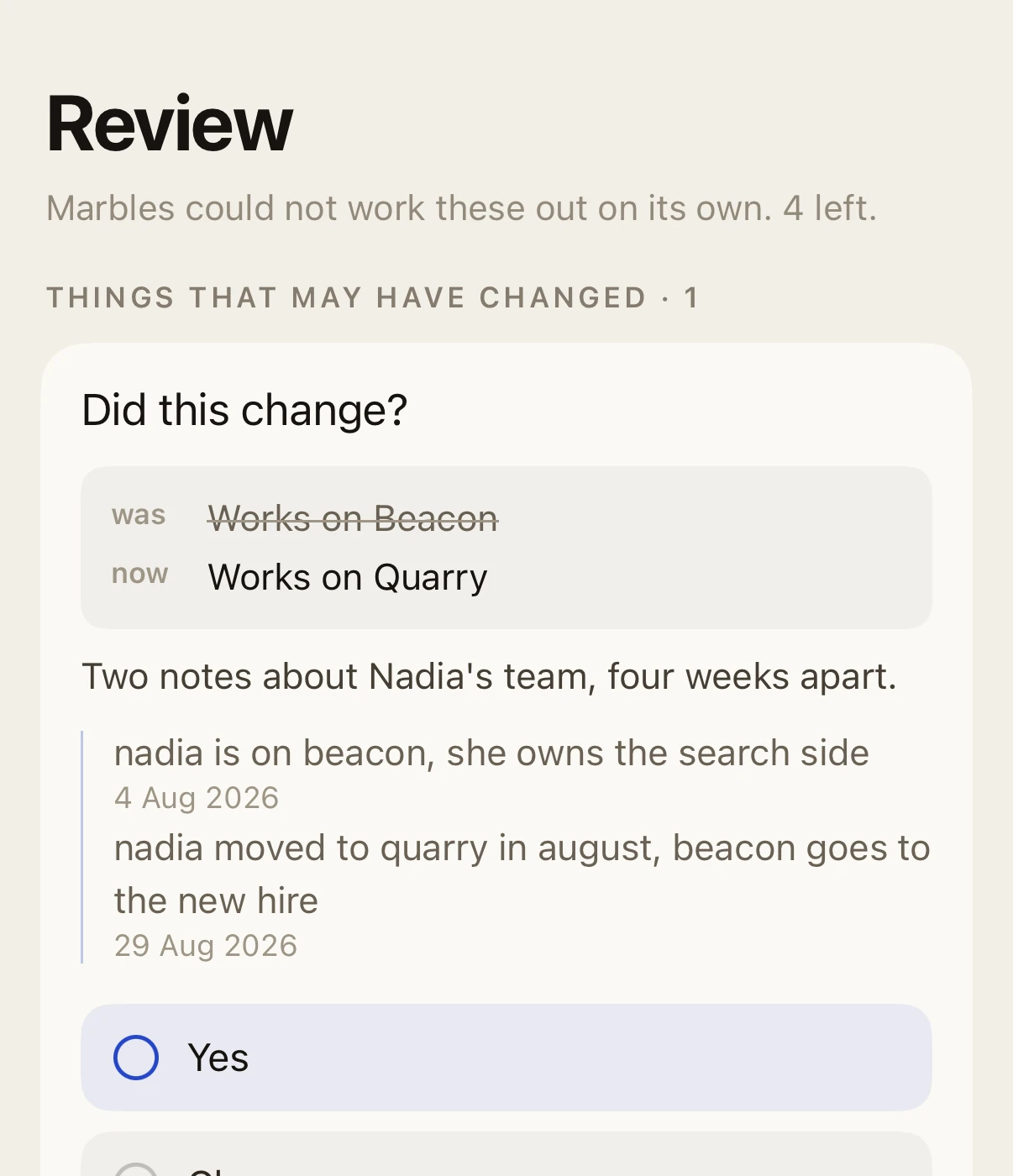
Guesses go to you, not into your notes. When two things you wrote disagree, Marbles shows you both and the dates they were written, and waits. Nothing is decided quietly behind your back.
They live on your phone and in your own iCloud. Not on our servers. There is no Marbles account to create.
To organize your notes, Marbles sends them to an AI provider that is contractually barred from storing them or training on them.
Anything shaped like a password, a key or a card number never leaves your phone at all. That is enforced in the code, not by an instruction we give a model.
You can export everything as plain Markdown files with your attachments, any time, and walk away.

Everything you wrote down is still in there. Marbles is how you get it back.
Join the waitlistAn app that reads your notes should expect questions. These are the ones that come up most, answered including where the answer is no.
Capturing notes, searching them and the daily list are free forever. The part that organizes everything is a subscription. We will publish the price before launch, and everyone on the waitlist hears it first.
We are not naming a date until the build deserves one, because a date that moves is worse than no date. Everyone on the waitlist hears on the day it opens, and there is no other list to be on.
Nothing is hidden, moved or deleted when it guesses badly. Every note stays in your main list whatever collections it lands in, so a wrong guess costs you a wrong label and nothing else.
The same rule holds for answers. If your notes do not contain the answer to what you asked, Marbles says so rather than assembling something that sounds right.
Capture and search work completely offline. The organizing happens when you next have a connection, and nothing is lost while you wait.
Nothing. The import is one way and additive. Marbles reads a copy. It never edits or deletes anything in Apple Notes.
Yes, including languages most tools ignore. Marbles reads your notes in whatever language you wrote them and never translates the original.